Dialectica · Expert network
Rebuilding expert onboarding at Dialectica to lower compliance risk across 25,000+ experts a month
Dialectica is an expert network. Terms of Engagement is where 25,000+ experts a month confirm their experience and set their availability for calls. I rebuilt it end to end: four emails became one flow, two compliance steps were added, completion held at about 90%.
The problem
Outdated profiles were reaching client calls, and fixing that meant four separate emails
Three things pushed the redesign.
Compliance. Experts moved through a crowded single page without really reviewing their current experience, so people reached client calls on backgrounds that were out of date.
Operational cost. The Compliance Tutorial, the Questionnaire and Profile Boost each went out as its own email. Associates chased four threads per expert, slow and easy to get wrong.
Timing. Dialectica was rebranding, and this flow is the first thing an expert sees, so it had to move to the new visual language regardless.
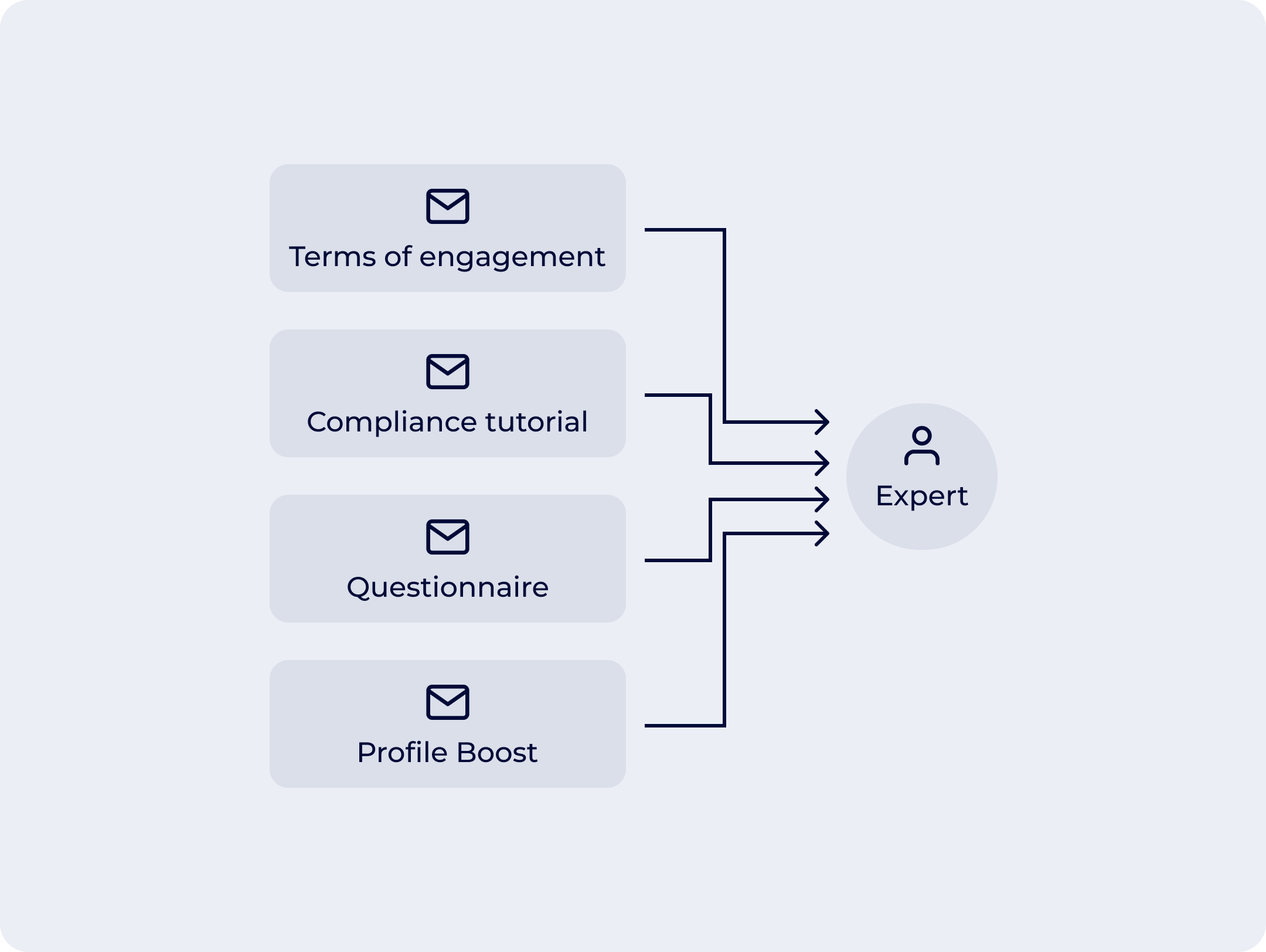
Terms of engagement, the Compliance Tutorial, the Questionnaire and Profile Boost each reached the expert as a separate email, handled in isolation.
Research
Recordings showed the skimming, associates confirmed the email load
Each cause had its own evidence.
Recordings. Experts scrolled past the experience section and confirmed it in seconds. The compliance worry became a fact.
Associates. Handling the separate emails was slow and caused mistakes.
Drop-off data. Completion data showed where experts left. Walking the flow with my researcher showed why: no clear hierarchy, current and past experience blurred together, compliance steps outside the flow.
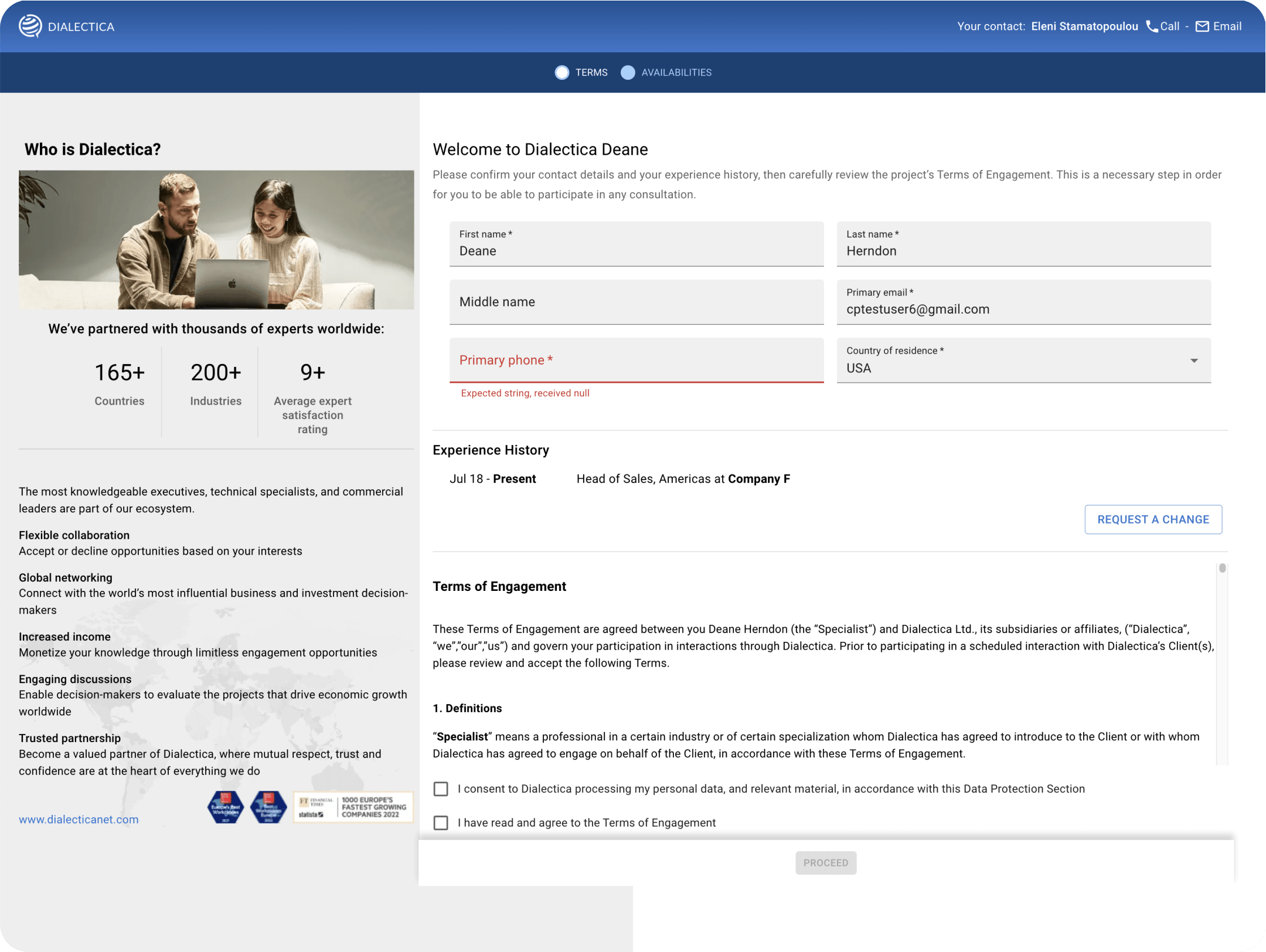
The old flow: two flat tabs, no guided progression, and current experience sitting undifferentiated between personal details and the legal terms.
Design decisions
Four changes to get compliance-critical data reviewed, without hurting completion
Each change stands on its own and maps back to the problem. The broader structural move, two flat tabs rebuilt into a three-step sidebar with sub-steps, is the container they sit in.
Decision 1
Current experience got its own section, first in the flow
Before
Current experience sat mid-page, weighted the same as personal details and legal terms. Past positions were not shown at all.
After
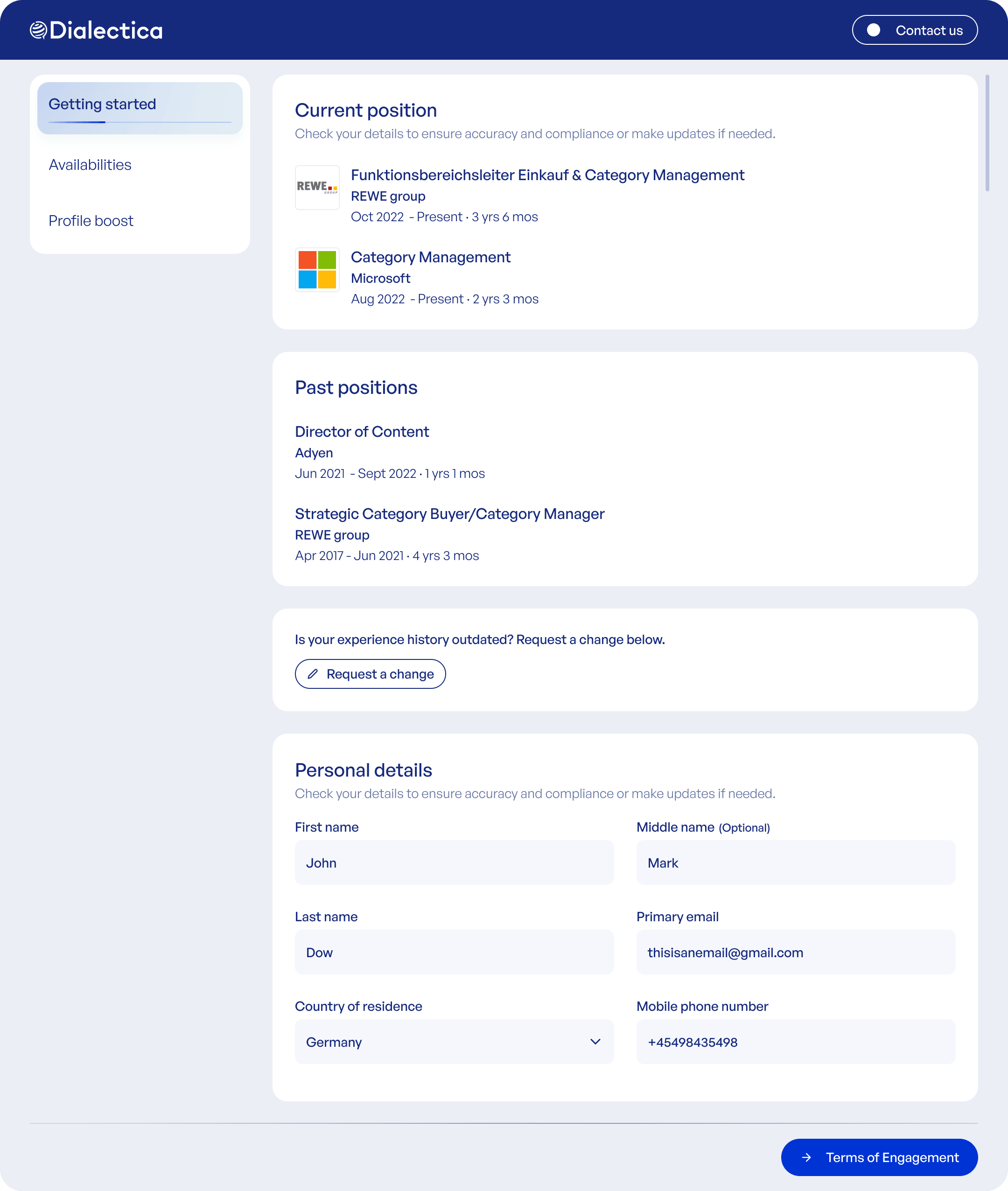
Current experience opens the step, in its own labelled section. Past positions sit below in a new compact list; personal details move to the bottom.
 After
After
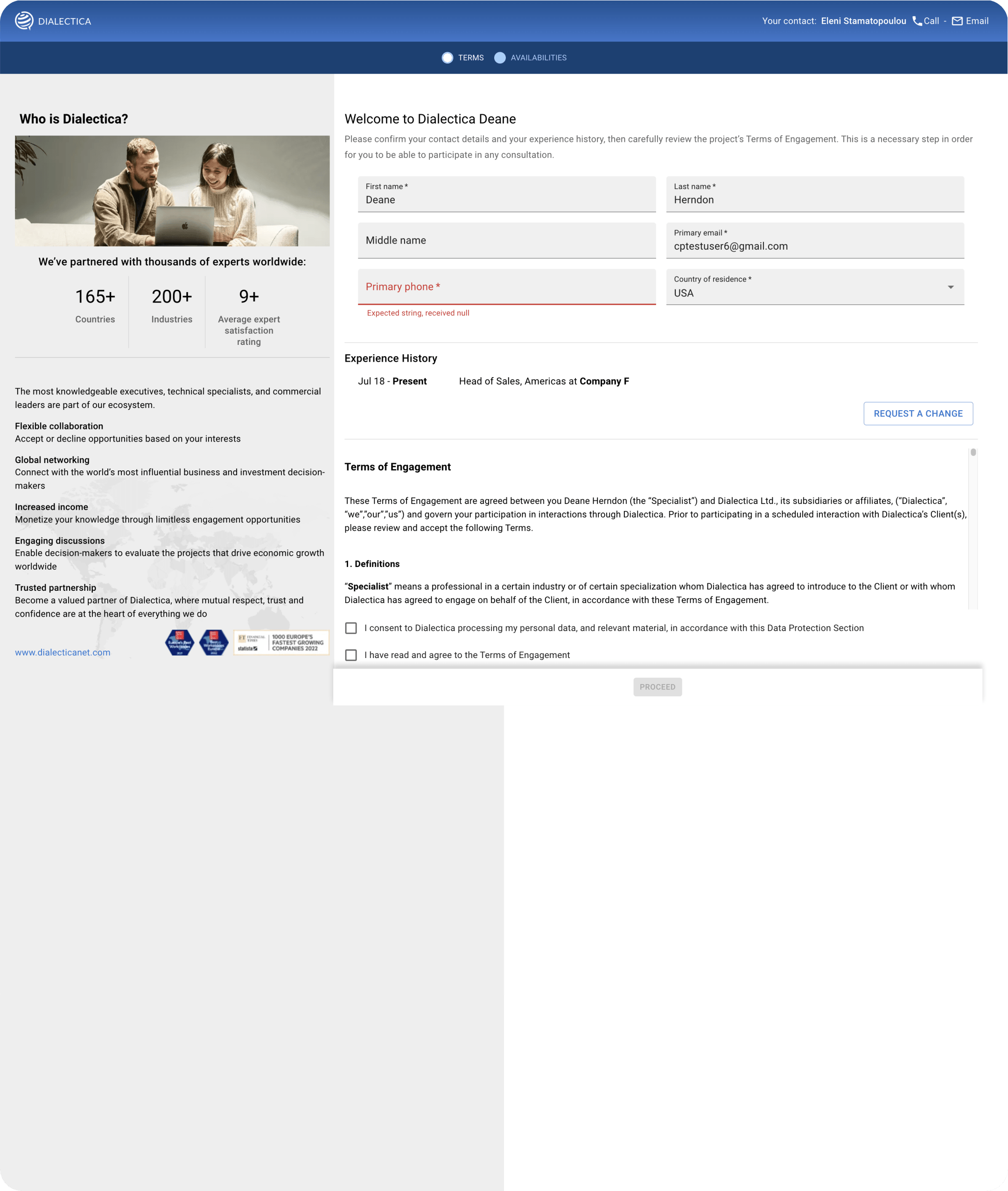 Before
Drag to compare the old single page with the new three-step flow, current experience now first
Decision 2
The Compliance Tutorial and Questionnaire moved inside the flow
Before
The Tutorial and Questionnaire arrived as separate emails, outside the flow: extra admin, each handled in isolation rather than as part of screening.
After
The Tutorial and Questionnaire became sub-steps of Getting Started: one guided sequence, each step with one job and one confirm.
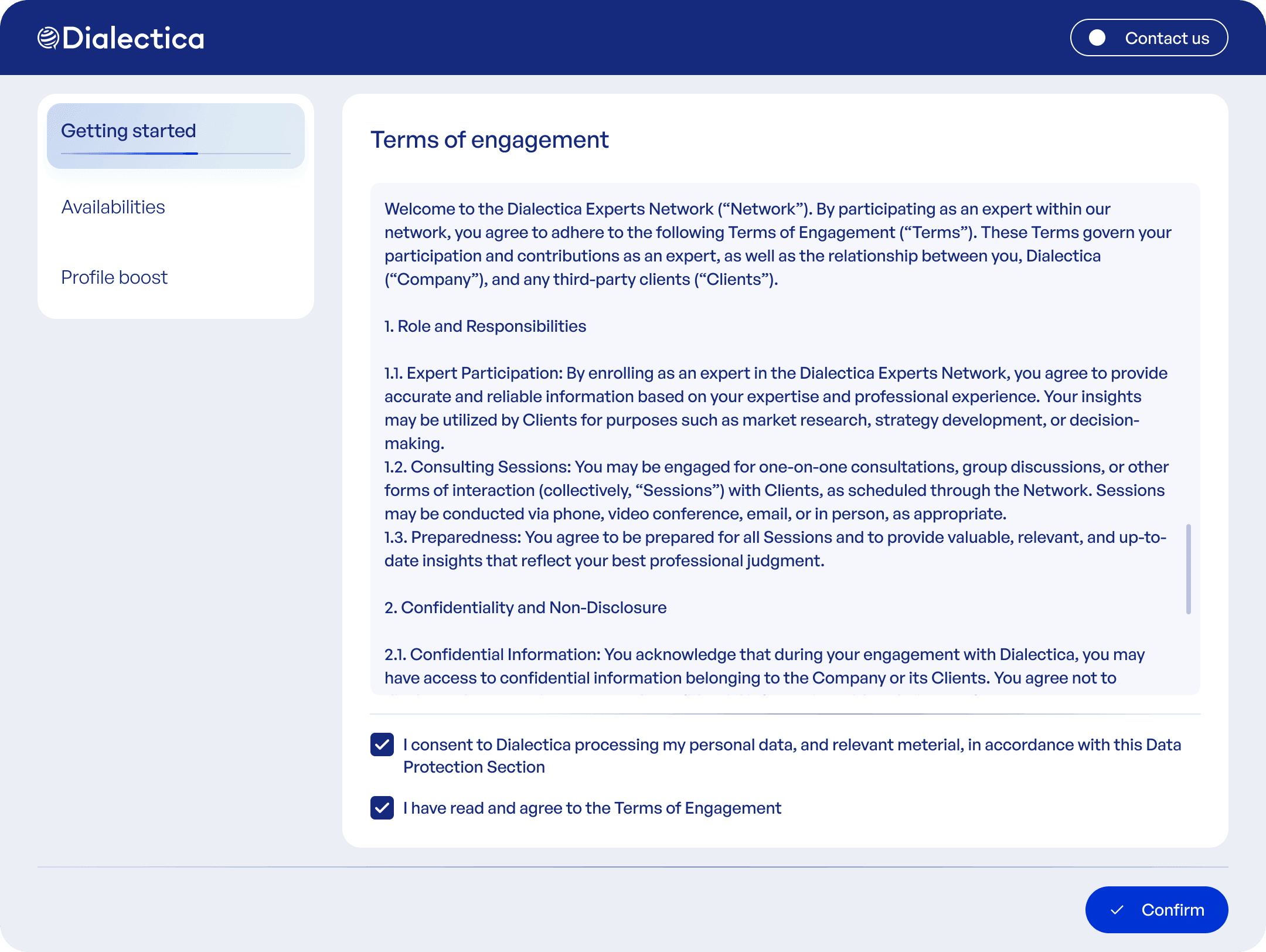
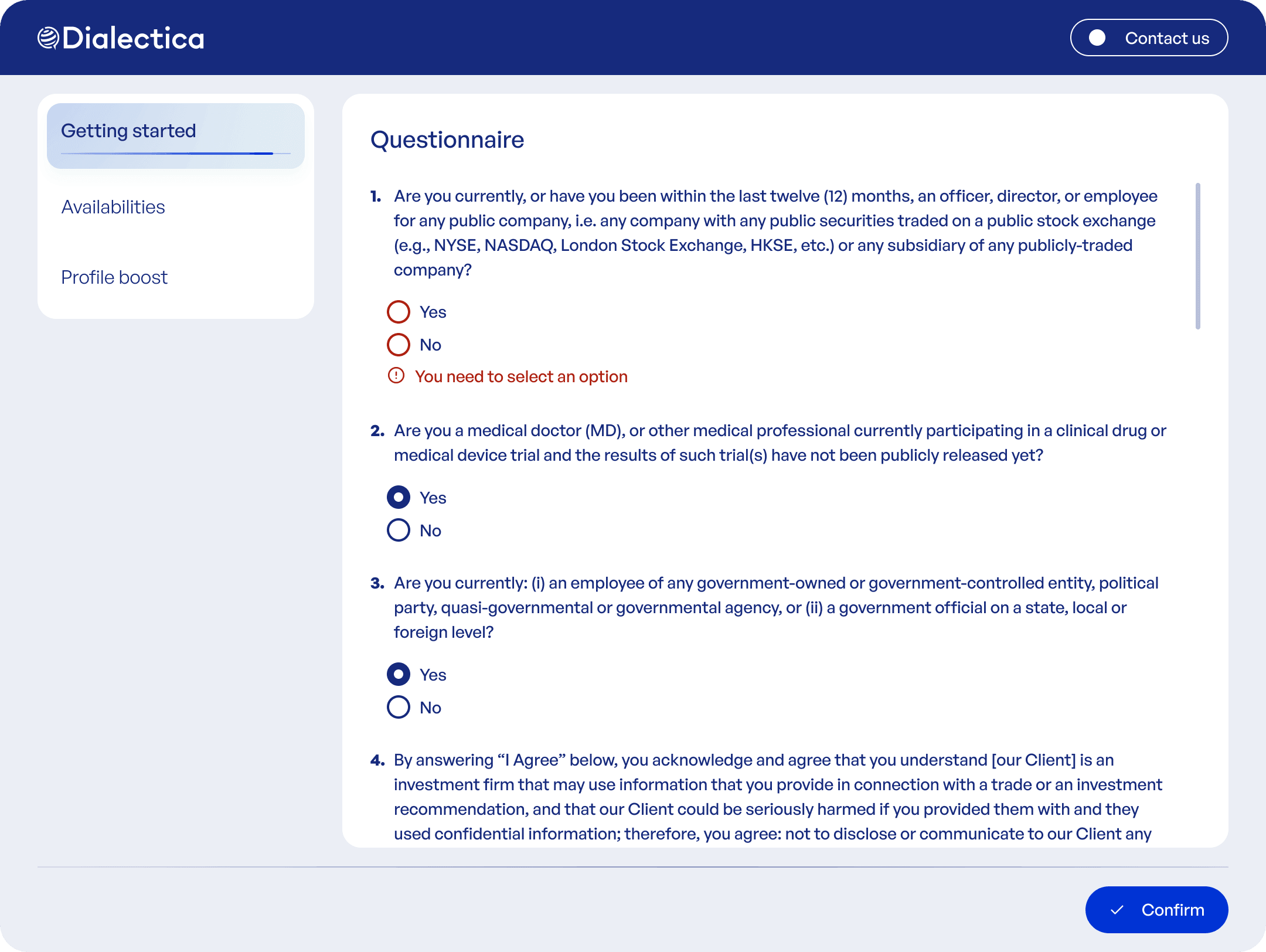
Each sub-step has one job and one confirm, with the sidebar holding the sequence together.
Decision 3
Availability slots became editable in place, not delete-and-redo
Before
Slots were fixed once created. Correcting a time meant deleting it and building a new one from scratch.
After
Slots stay editable after placement. Experts drag one to move it, or click to open a side menu and change it fully.
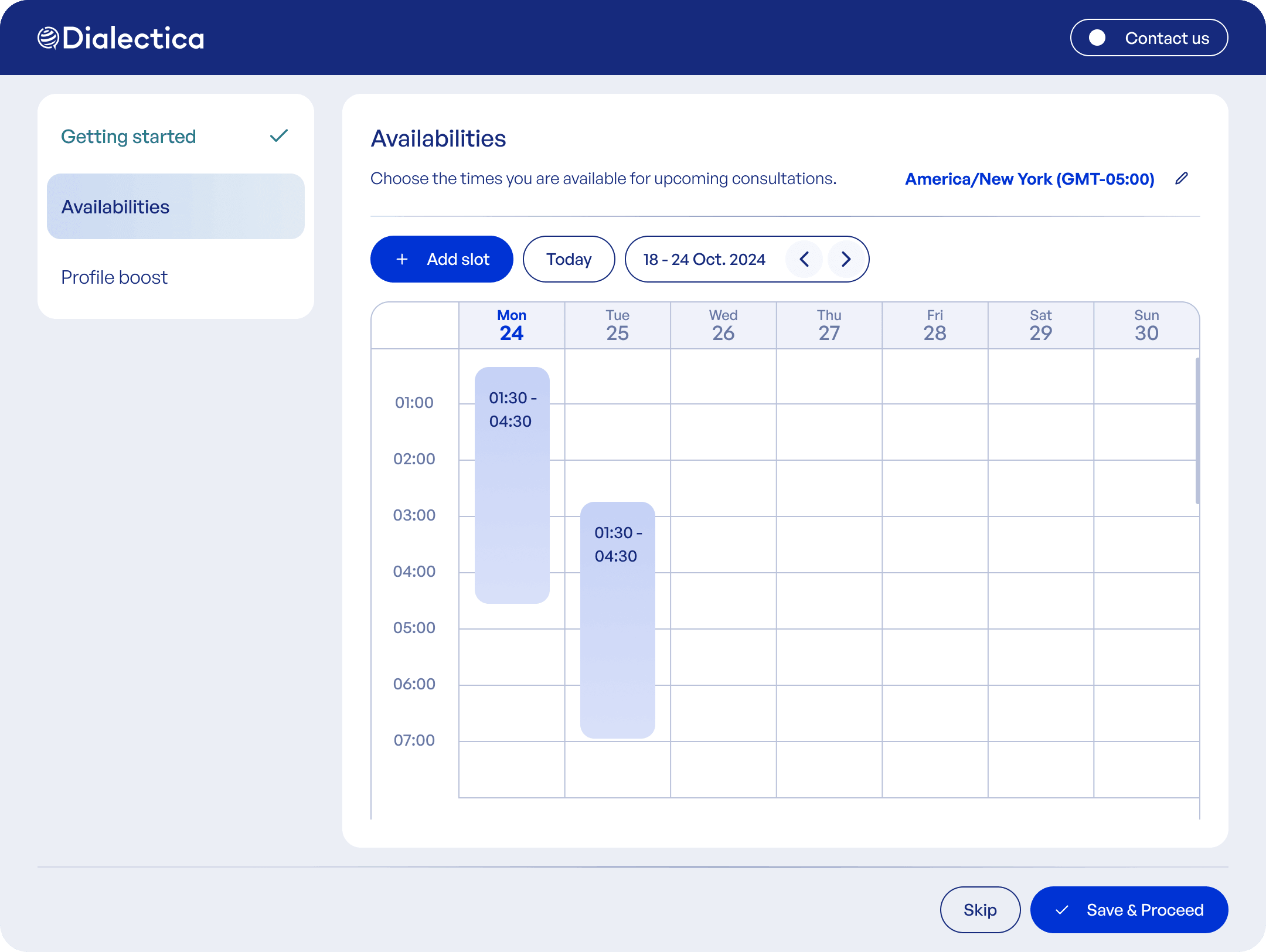
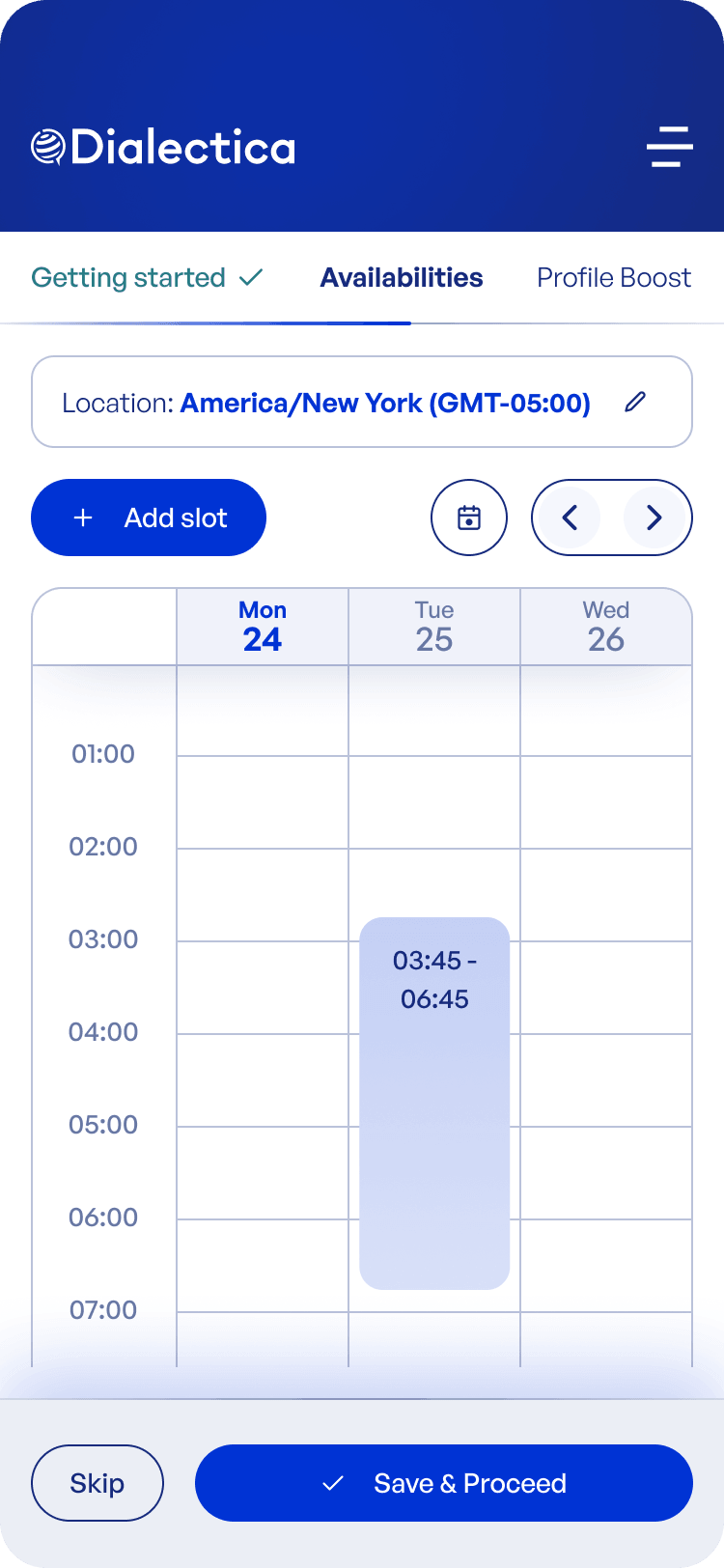
Comparing the same months a year apart, the share of experts submitting availability rose about 4 percentage points, from about 70% to about 74%.
Decision 4
Experts map the products and vendors they cover, captured inside the flow
Before
Category and vendor data was chased over email, outside the flow, after experts had already moved on, so few ever sent it back.
After
Category and vendor data became "Profile Boost," a skippable step inside onboarding: experts typed the categories they cover, then the vendors behind them.
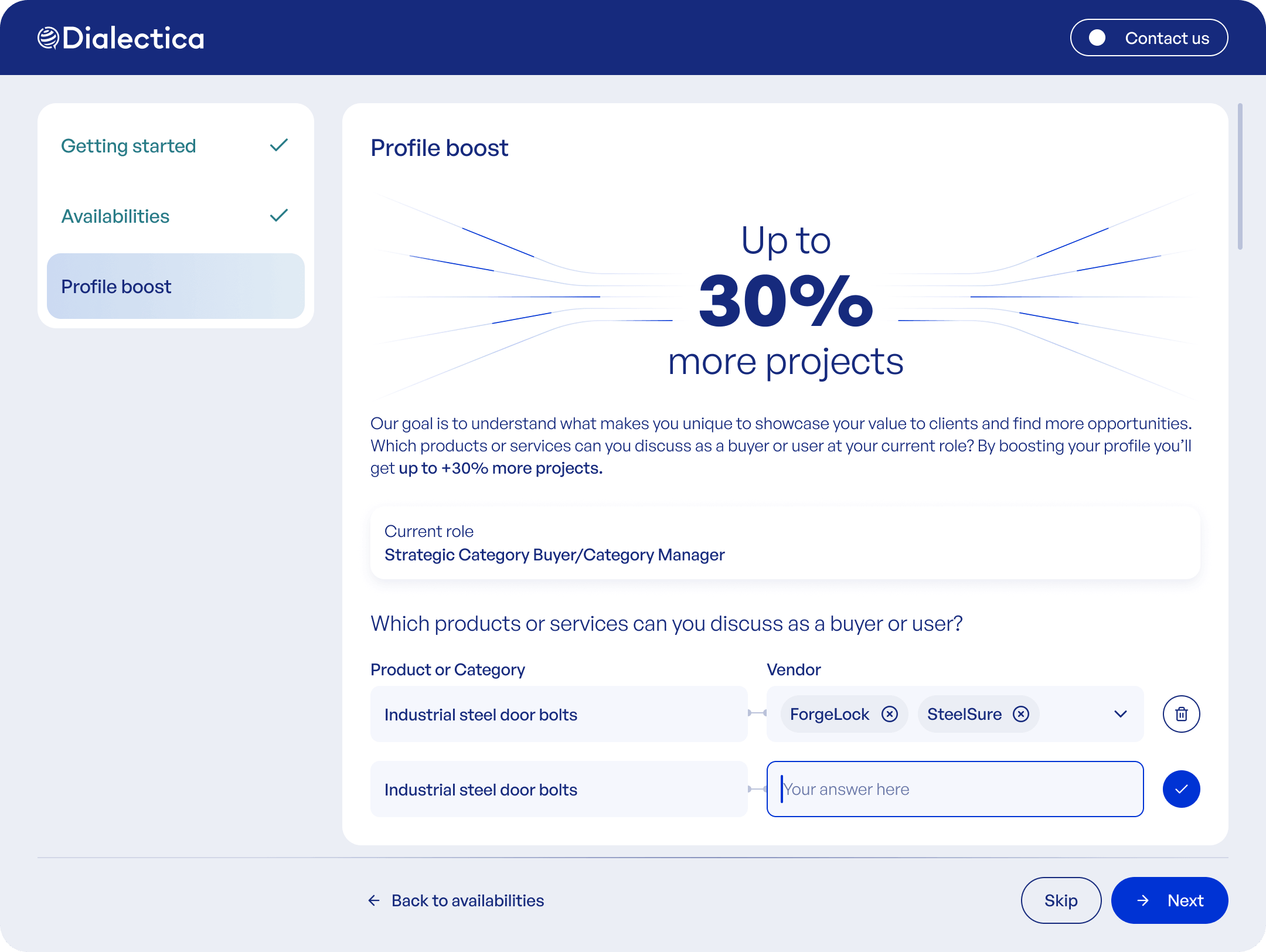
v1: experts typed the product categories and the vendors behind them into free-text rows.
Outcome
Two new mandatory steps added, and completion held flat at about 90%
Two mandatory steps were added and completion did not move. The structure absorbed them, because each step read as part of one journey.
Experiment
Moving Terms to the end lifted the metric we were chasing and hurt the one that pays
The test. We moved Terms behind Profile Boost for 25% of experts over two weeks, betting they would walk the whole funnel to reach what they came for.
The result. Expertise data went up, Terms signing went down. The flow felt long, and some experts wrote in to say so.
The call. An expert who skips Profile Boost still takes calls. One who never signs Terms takes none. We kept the shipped order.
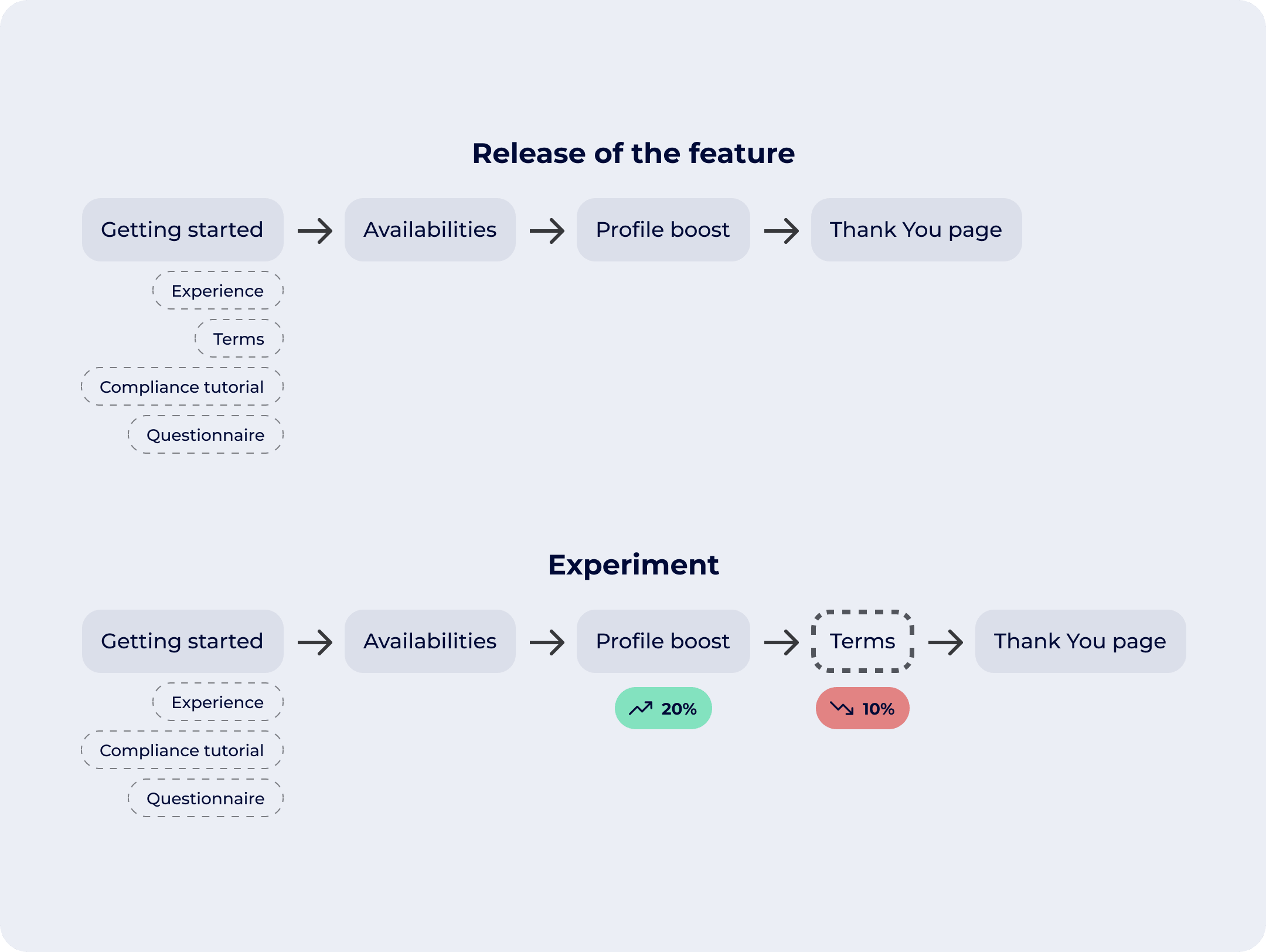
The shipped order kept Terms early; the tested order moved it behind Profile Boost.
Profile Boost v2
A ready list of categories and vendors meant experts never started from zero, and conversion roughly doubled
v2 replaced typing with selection, split across two lighter steps.
v1. Experts typed the product categories and the vendors they cover into free-text rows.
v2. Experts pick categories from a shortlist, then the vendors behind them, and can add their own at either step.
Conversion. Entry into the step roughly doubled, from about 17% to about 33%.
Richer data. About 6.5 vendors and 3.4 categories per expert, up from 4.2 and 2.0.
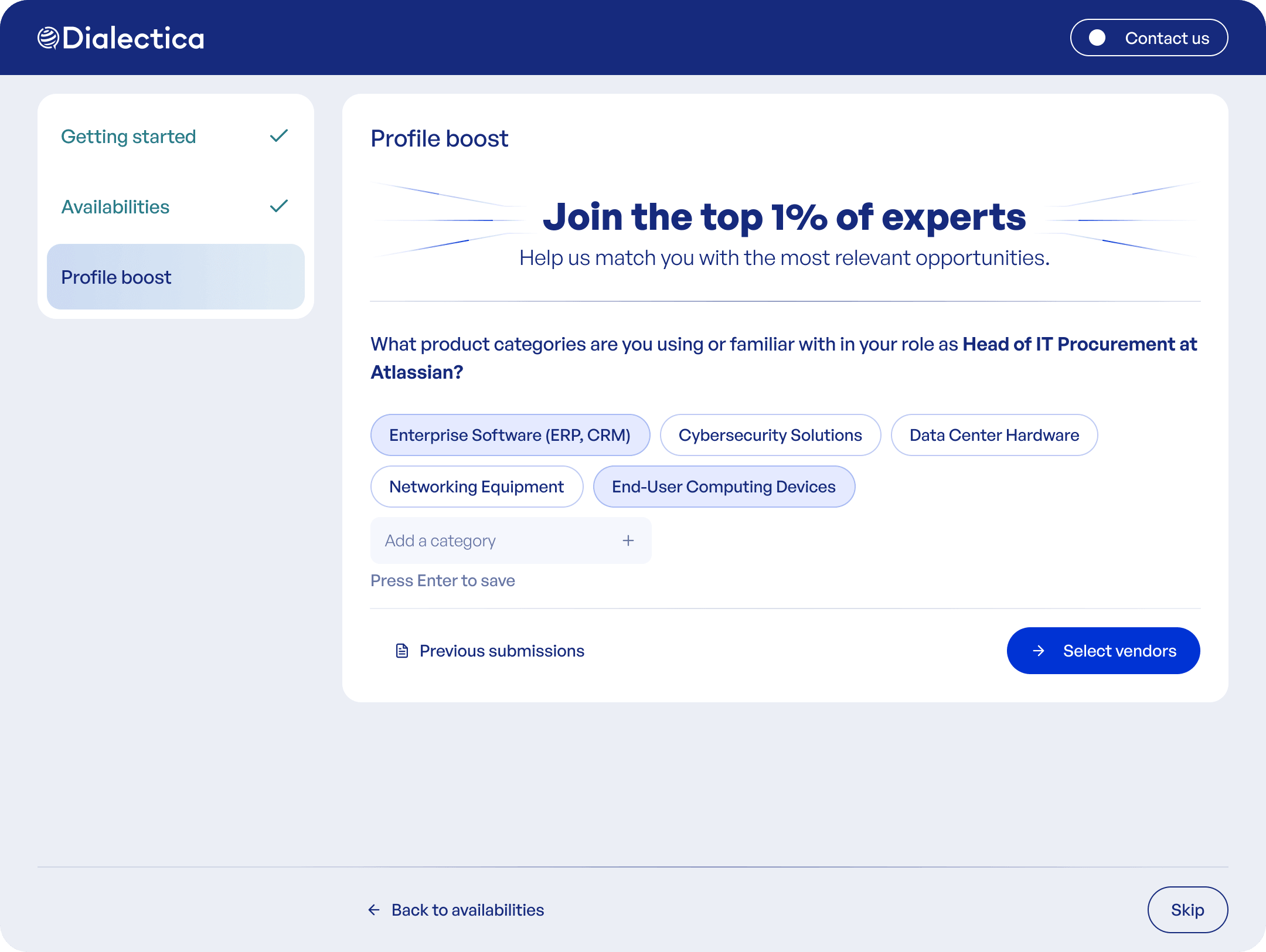
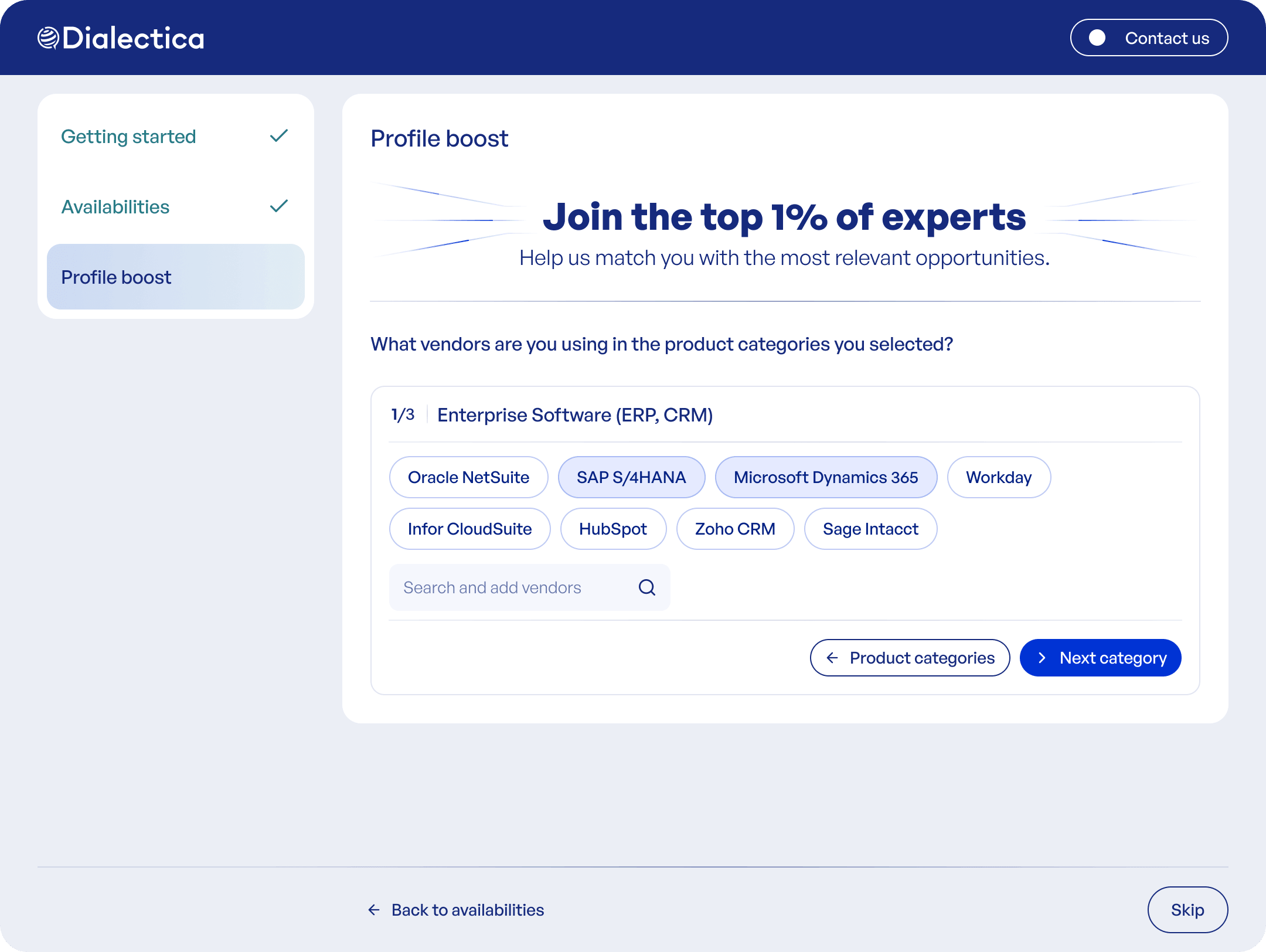
Step 1 picks the product categories, step 2 the vendors behind each one.
Earlier exploration
Profile Boost folded into the first step, explored then pulled out
The idea. Put Profile Boost inside the very first step, surfaced per company through a "Boost your profile" modal.
Why it was cut. That step has one narrow job: review your experience and flag anything out of date. Boost on top asked for too much attention up front.
What shipped. Profile Boost became its own step later in the flow.
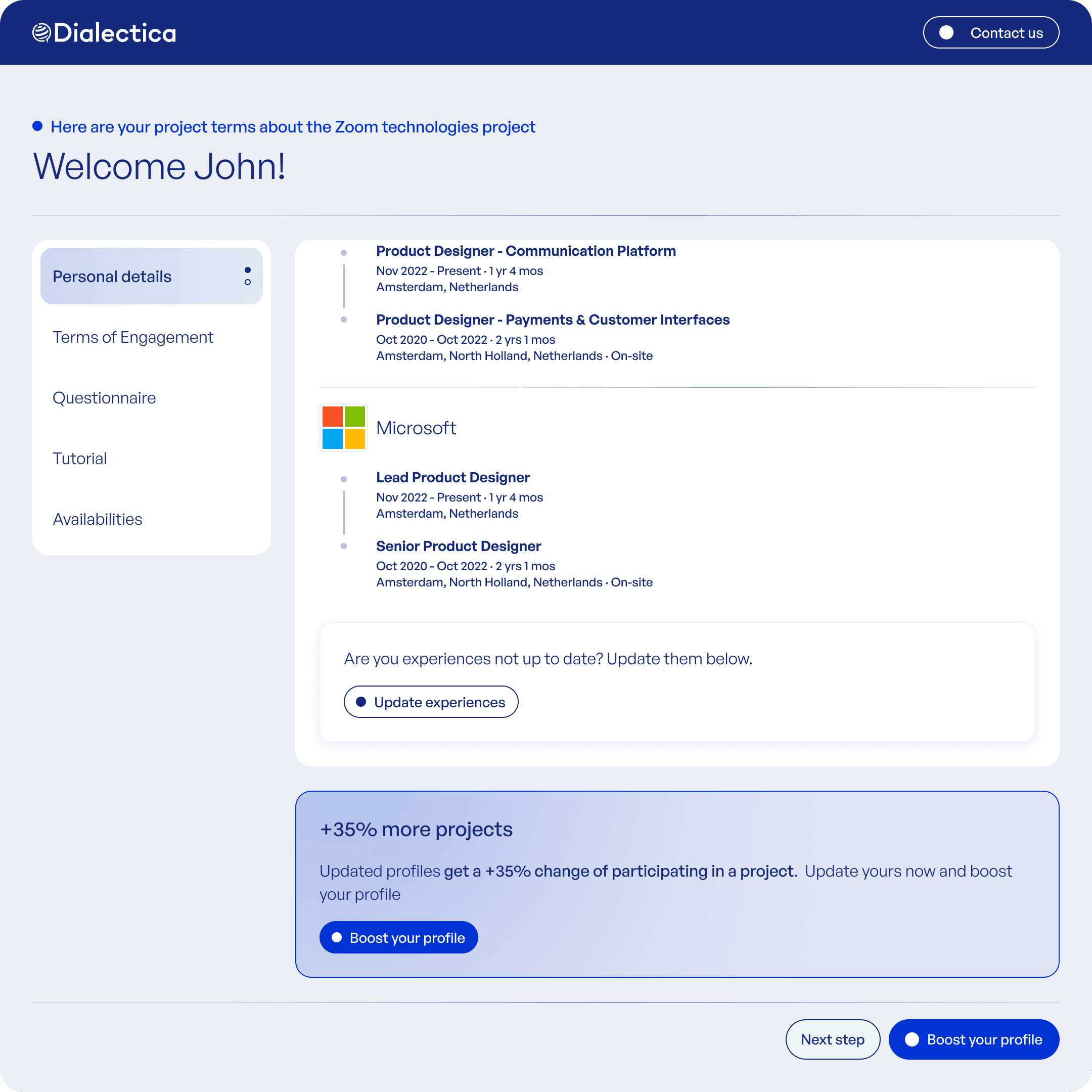
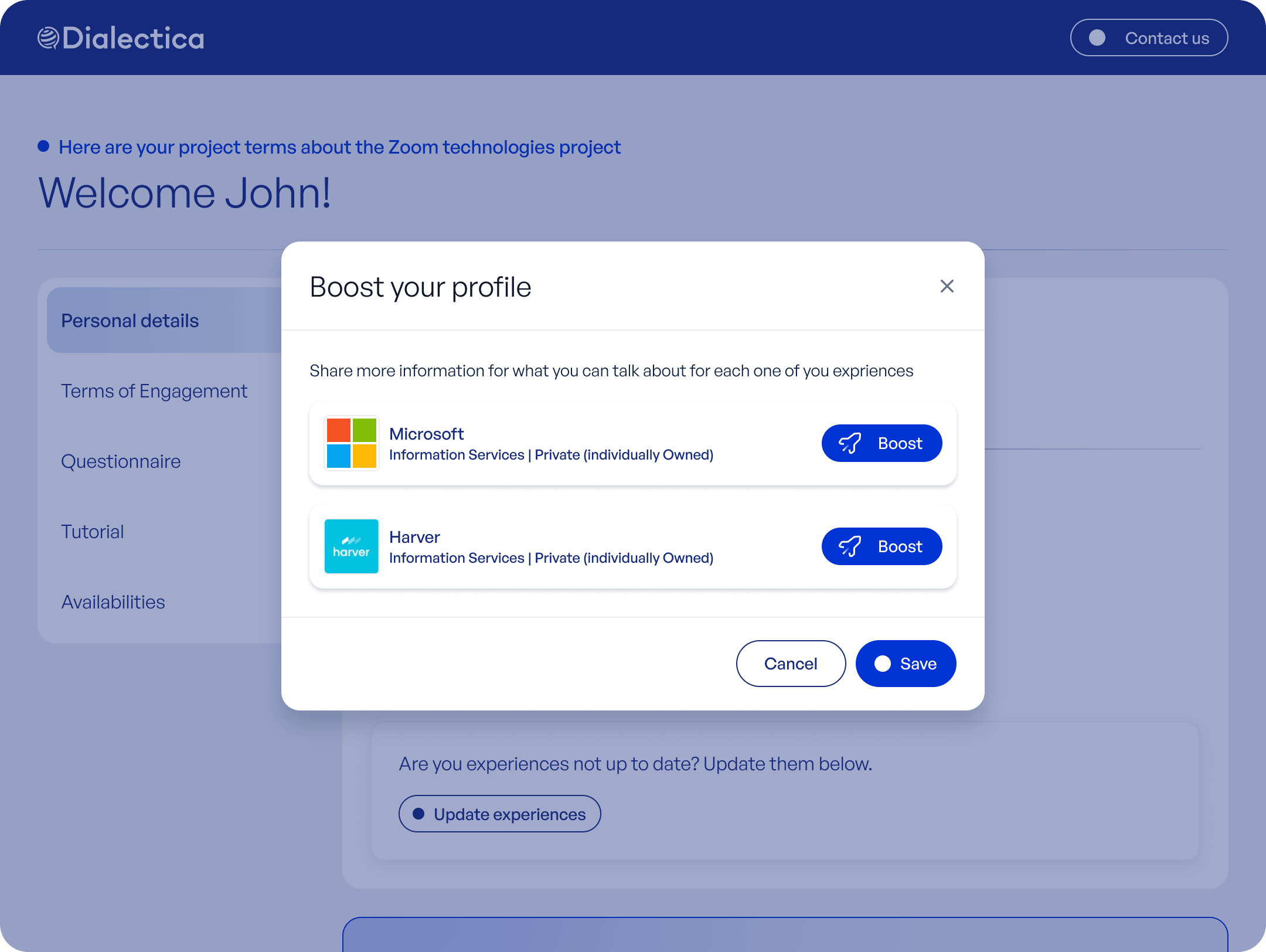
Exploration: Profile Boost folded into the same step, surfaced through a per-company "Boost your profile" modal.
Earlier exploration
Inline experience editing, designed then cut
The idea. Experts correct their experience inline: edit pencils on each role, one "confirm all experiences are up to date" checkbox.
Why it was cut. It needed a whole review layer behind it, a dashboard where associates vetted every change before it went live. Not justified at this volume.
What shipped. A lighter "Request a change" path that flags inaccurate data for manual review.
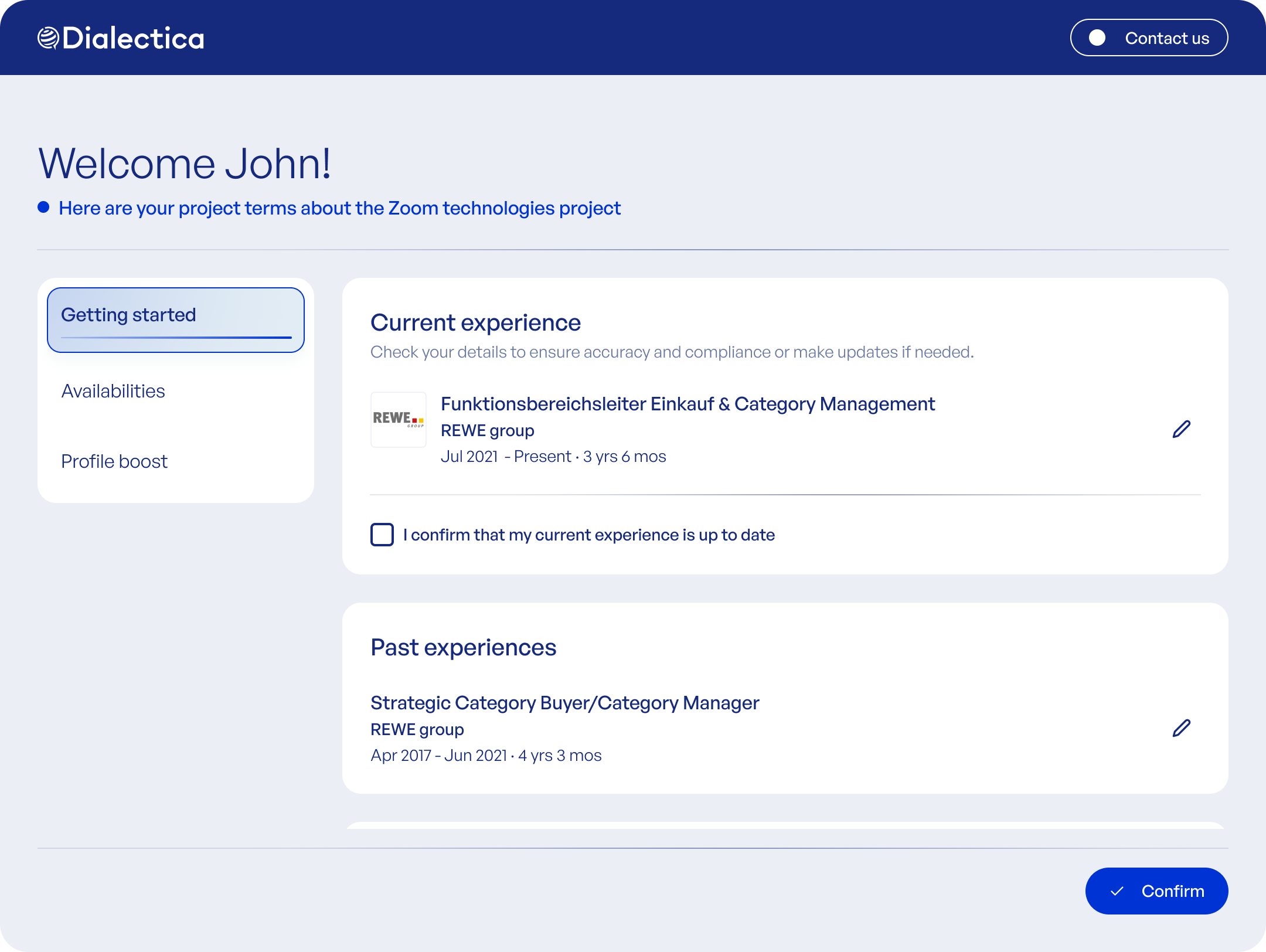
The cut inline-edit concept. The shipped flow uses a lighter "Request a change" path instead.